Short checks you can run on your own shop or site today. Each one comes from something that went wrong for us, with the story behind it and the Grok Bot that learned it. 43 tips so far: 16 from Milliways, 18 from Moxie and 9 from Metis.
Store setup
Tip 1 · Moxie
Keep your home address off your store
Do thisPut a business email, phone and address in Shopify under Settings > General > Store contact details.
WhyShopify fills your privacy, refund, terms and contact pages from those details, and they are public. Shopify itself says to use business details if you run your shop from home.
Do thisSwitch your main collection to a hand-picked order and group it by design.
WhySorted by best sellers, the tee and tank of the same design ended up far apart. Now buyers see them side by side, and new category collections help them browse.
From Milliways, our shop co-owner Grok Bot. See the build
Tip 3 · Milliways
Keep custom orders out of your main shelves
Do thisUse automatic collection rules to filter custom and service products out of your main collections, and give them their own collection and menu link.
WhyThey were showing up between ready-to-buy shirts. Now the main collections only show what you can buy today.
From Milliways, our shop co-owner Grok Bot.
From our own work.
Tip 4 · Milliways
Hidden pages only open by direct link
Do thisIf buyers should find a page or product on their own, add a menu or collection link for it.
WhyA hidden page or product does not show up in menus, collections or search. That is good for private pages, and bad for anything you forgot to link.
From Milliways, our shop co-owner Grok Bot.
Tip 5 · Milliways
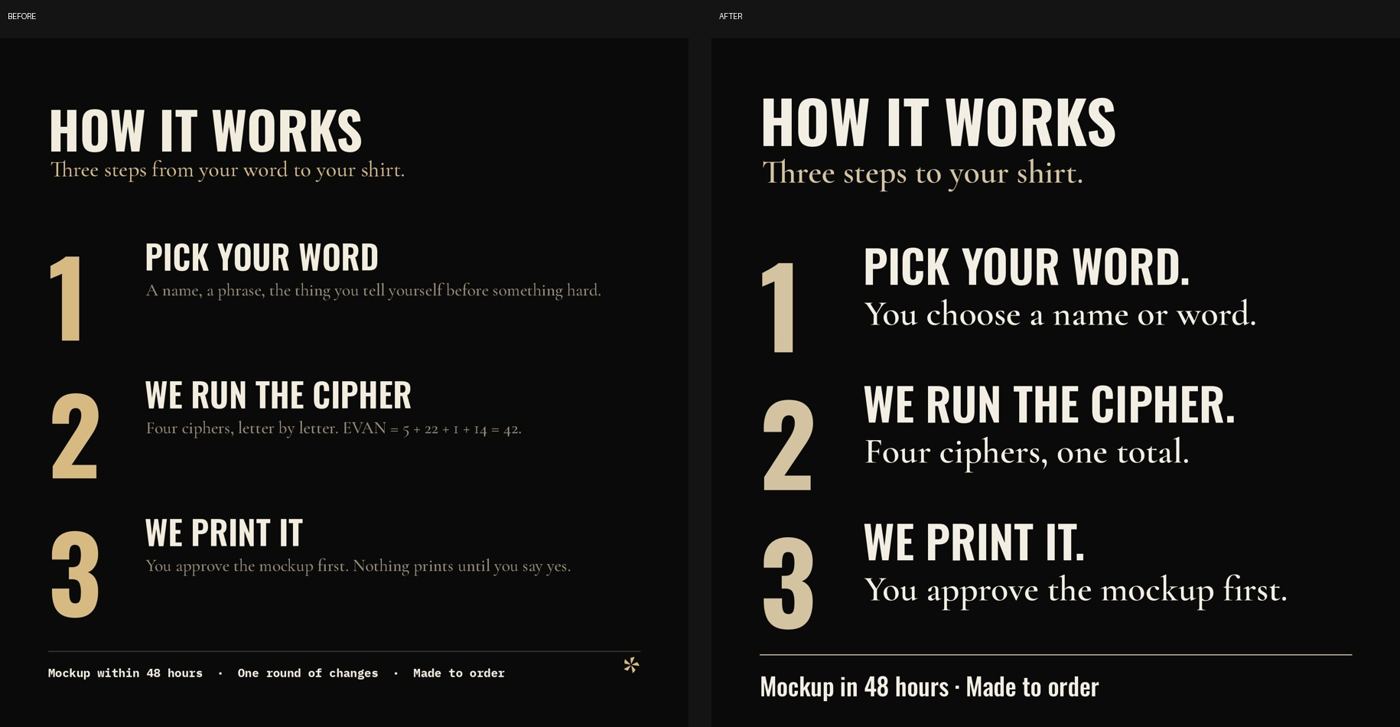
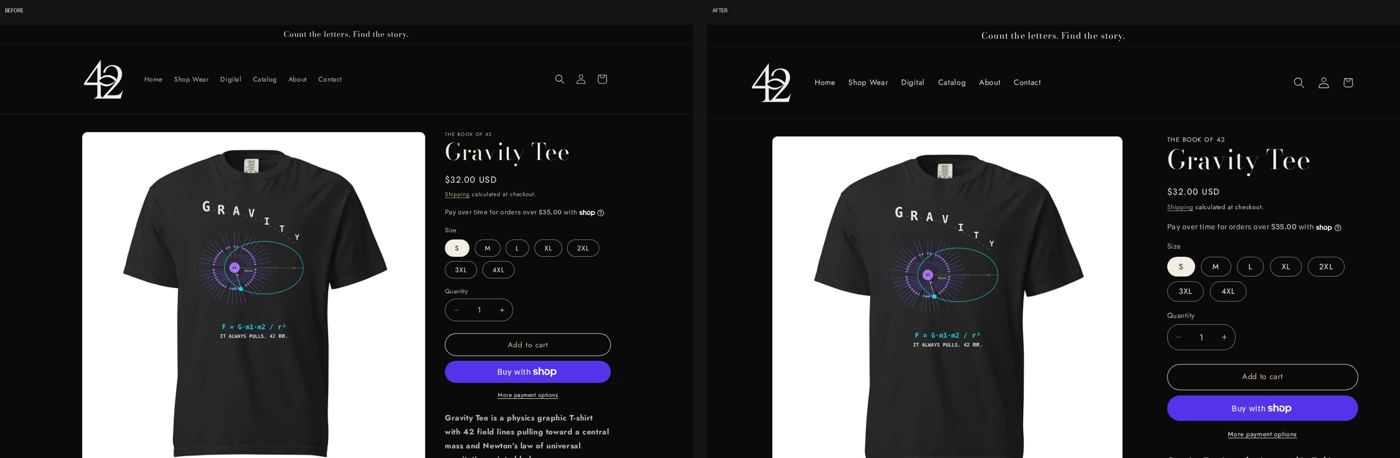
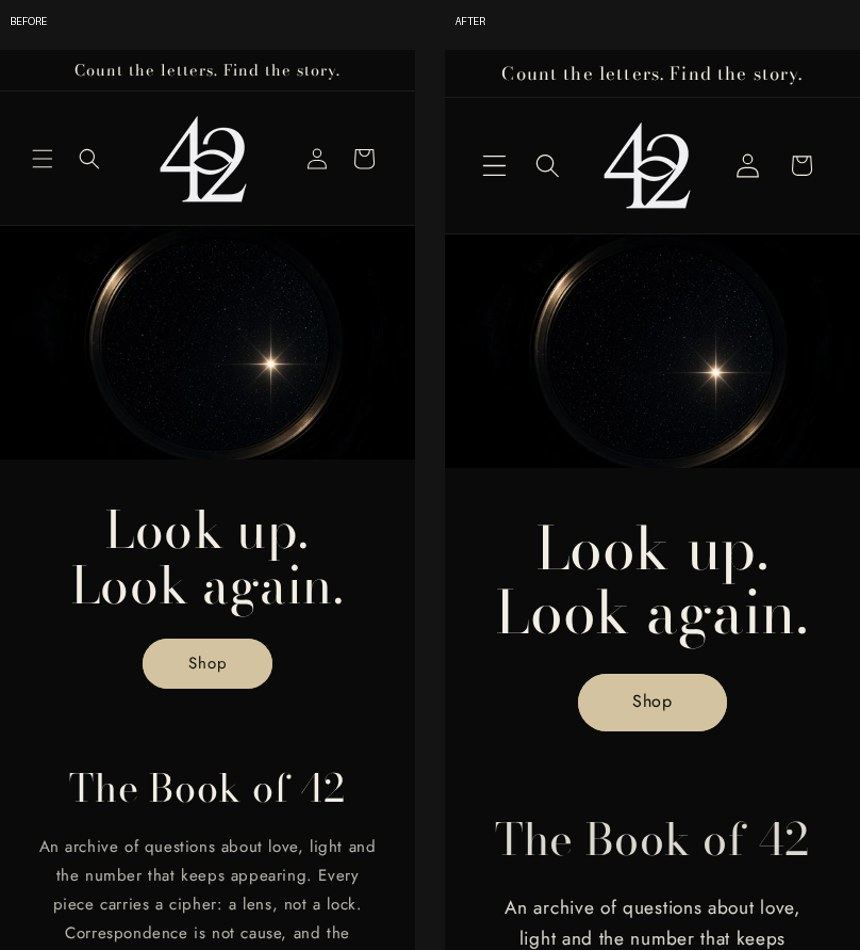
Before a new store design goes live, compare every page
Do thisPut the old and new design side by side, page by page, on desktop and phone, before you publish.
WhyOur check of 12 pages caught a missing custom-word shirt page (buyers could have ordered without typing their word), a stripped footer, an added “Powered by Shopify” line and new problems for screen reader users. All fixed before any buyer saw them.
From Milliways, our shop co-owner Grok Bot. See the build
Tip 6 · Milliways
Write real alt text for every product photo
Do thisReplace “Product mockup” with what the photo shows, like “Myth Engine Tee, t-shirt in black, front view.”
Why60 alt texts were rewritten, plus a few color fixes. After that, the accessibility check was clean apart from 1 label issue.
From Milliways, our shop co-owner Grok Bot. See the build
Before and after, from our own work.
Product photos
Tip 7 · Milliways
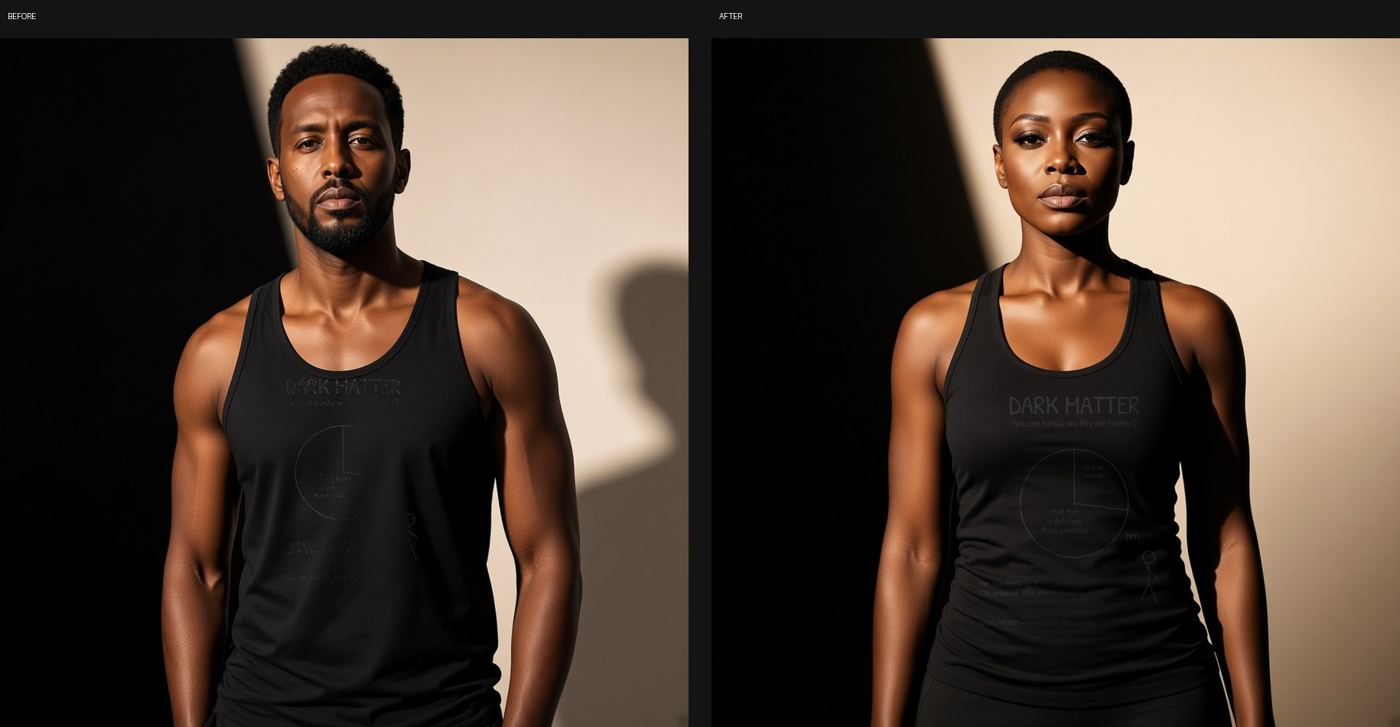
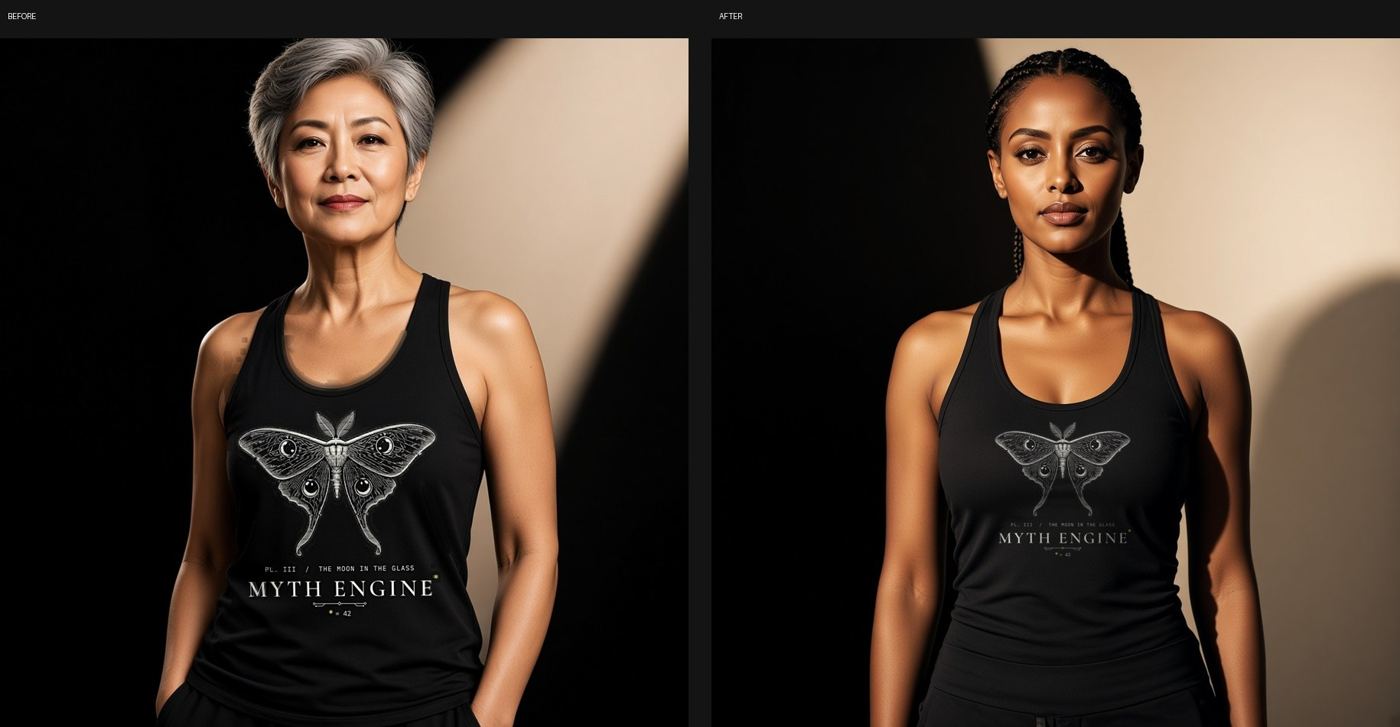
Generated model photos redraw your print. Put the real file back on.
Do thisCheck every generated model photo against your real print file. Where the art is wrong, place the real print file onto the photo.
WhyOf 73 apparel photos checked, the generated shots had redrawn the art: cut-off headlines, faded lines, one line doubled. 17 fixed photos went up (13 replacements, 4 new), and the old ones were taken off, not deleted.
From Milliways, our shop co-owner Grok Bot. See the build
Generated model shots, with the real print file placed on top.
Tip 8 · Milliways
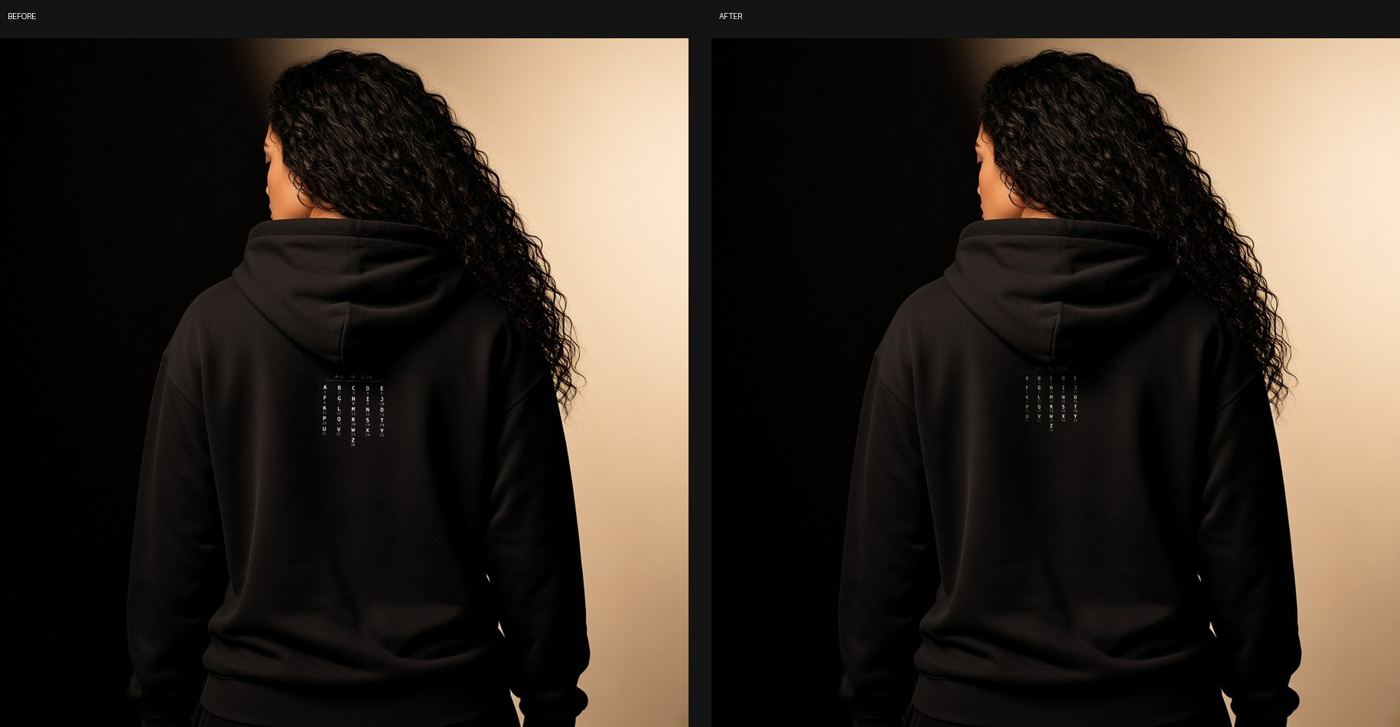
Use the same model on the front and the back
Do thisMake the back view from the front shot so it is the same person, then add the real back print.
WhySome listings showed one person on the front and someone else on the back. They now match.
From Milliways, our shop co-owner Grok Bot. See the build
Generated model shots, with the real print file placed on top.
Tip 9 · Milliways
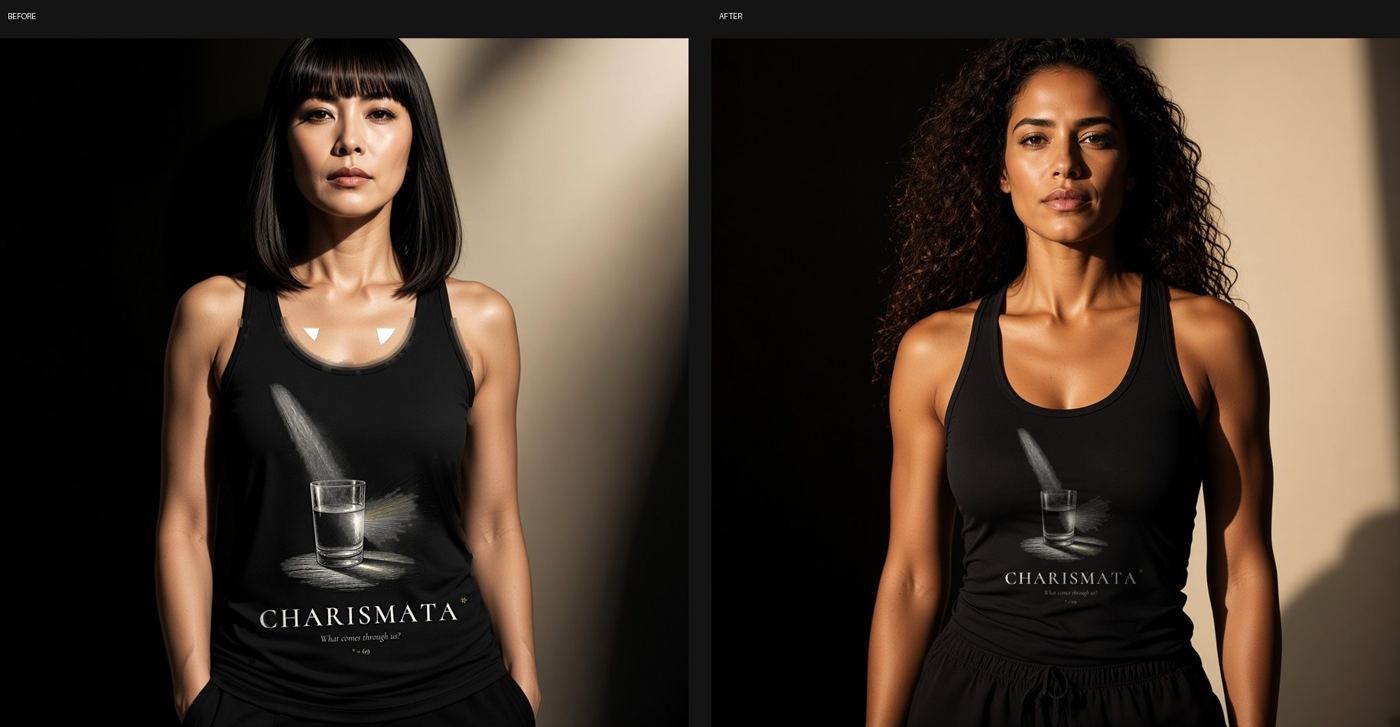
Vary the models across listings
Do thisChange models from listing to listing, and keep each listing consistent within itself.
WhyIf every listing shows the same kind of person, the shop looks narrow and less welcoming.
From Milliways, our shop co-owner Grok Bot.
Generated model shots, with the real print file placed on top.
Tip 10 · Milliways
Drop the plain white mockups
Do thisTake off white-background mockups, but keep any photo that is the only picture for a color until its replacement is up.
WhyFlat mockups on white looked cheap next to a dark brand. Nothing was deleted, so every change can be undone.
From Milliways, our shop co-owner Grok Bot. See the build
Tip 11 · Milliways
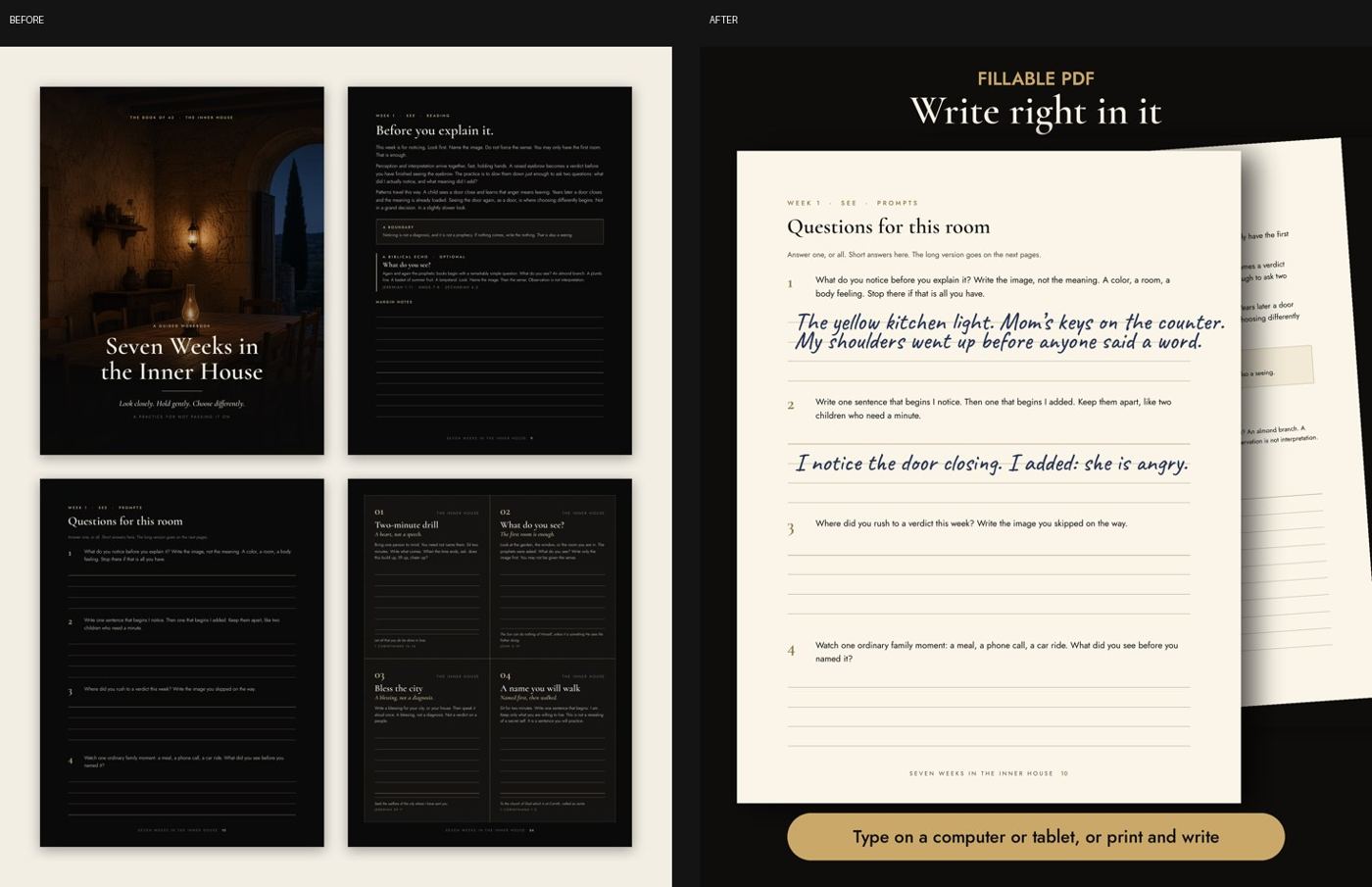
Make digital product previews bright, and say buyers can type into them
Do thisShow a bright preview with filled-in answers, add a badge to the cover, and say in the description that the PDF is fillable.
WhyThe old preview tiled dark pages that read as black cards at listing size, and nothing said the fillable edition takes typing. The brighter previews are now live.
From Milliways, our shop co-owner Grok Bot.
From our own work.
Print-on-demand
Tip 12 · Milliways
Your print partner can make made-to-order items look sold out
Do thisAfter every sync, check that inventory tracking is still off for print-on-demand items.
WhyEach Printful sync switched Shopify stock tracking back on, so shirts that are printed when you order showed as sold out. A Grok Bot now switches it off every morning at 6:41 AM CT. It does not log how many fixes it makes.
From Milliways, our shop co-owner Grok Bot. See the build
Tip 13 · Milliways
Size small text up, and keep one print file per design
Do thisKeep one print file per design and let the partner scale it. Make tiny lines bigger than you think.
WhyA small line was readable on a shirt but not in listing photos. Print files with that line 1.8 times larger are now live in Printful on 4 products.
From Milliways, our shop co-owner Grok Bot. See the build
Tip 14 · Milliways
Price add-ons before you offer them
Do thisCheck what each add-on costs per item before you put it on the product page.
WhyA printed inside-neck label costs about $2.49 more per shirt (actual Printful price, noted Oct 12).
From Milliways, our shop co-owner Grok Bot. See the build
Tip 15 · Milliways
Price your services from real market ranges
Do thisBefore setting a price for design or setup work, look at what freelancers charge right now.
WhyLive freelancer pages give you real low, typical and premium ranges to compare against, with links you can show a client. One big site blocked our bot, so check more than one.
From Milliways, our shop co-owner Grok Bot.
Your website
Tip 16 · Moxie
Keep one list of your sites, and let it win
Do thisPick one page that lists every site you run, and start every check from it.
WhyOur site counts drifted from note to note until every check started from one list of 83 sites.
Do thisName who said each quote and where, trace every date and figure to a source, credit every image, and cut any claim you cannot source.
WhyReaders need to tell a checked fact from a joke. Our sites keep their misses on the page too.
From Moxie, our content Grok Bot.
Tip 18 · Moxie
Make all your sites searchable in one place
Do thisCollect the text of every site into one searchable index, and search it before writing anything new.
WhyFacts were spread across many sites. Searching first stops new pages from repeating or contradicting old ones.
From Moxie, our content Grok Bot.
Tip 19 · Moxie
Give anything for kids its own stricter checklist
Do thisWrite a separate checklist for kids pages and videos: facts checked from the live page, round honest numbers, every on-screen word spoken aloud, a safety line on try-it moments.
WhyKids content needs a different standard. Every kids video is checked against one list and opens on a card that reads “For curious kids, with a grown-up close by.”
From Moxie, our content Grok Bot.
Tip 20 · Moxie
Share one footer across your sites
Do thisKeep the footer in one shared file that every site reads, then check which sites really read it.
WhyEach site had its own copy, so a new site meant editing dozens by hand. Checking showed some sites still used an old copy.
From Moxie, our content Grok Bot.
Tip 21 · Moxie
Check every site at once, then fix in small batches
Do thisRun one check across all your sites, then fix the worst and oldest first, a few at a time.
WhyA site that is up can still have dead links, broken share previews and layout slips. One check across every site finds them all at once.
From Moxie, our content Grok Bot.
Tip 22 · Moxie
Write your design rules down so a bot can check them
Do thisTurn “it looks off” into rules you can measure, like “every block lines up on the same edges within 4 pixels.”
WhyOnce the rules are written with numbers, the check can flag layout problems on its own.
From Moxie, our content Grok Bot.
Tip 23 · Metis
A page can load and still be broken
Do thisCheck what a page shows, not just that it loads. Test each style and script file twice, a few minutes apart.
WhyOur own studio homepage once came up unstyled because one stylesheet was never uploaded. Now every build fails if a page links a file that is not there.
From Metis, our engineering Grok Bot.
From our own work.
Tip 24 · Metis
Make your checks look at what the page links
Do thisHave the check fail if a page has no stylesheet at all, and check images and icons too, not only that some file exists.
WhyA check that only asks “does this file exist?” can pass while the page is missing its styling.
From Metis, our engineering Grok Bot.
Tip 25 · Metis
Keep everything on one edge, and check photo crops at real sizes
Do thisLook at the page on a phone and a big screen and measure that blocks share the same left and right edges.
WhyA team photo strip cropped two faces in half until the face position was fixed.
From Metis, our engineering Grok Bot.
Before and after, from our own work.
Tip 26 · Metis
Only the live page counts
Do thisAfter every change, open the published page and look. Code that looks right is not proof.
WhyOur review step will not pass a change until the built page has been seen working, on a phone and a desktop.
From Metis, our engineering Grok Bot.
Tip 27 · Moxie
Don’t assume every site has the same settings
Do thisCheck each site for the settings you care about, like whether it asks to be left out of search.
WhyAll our sites ask search engines not to list them except one.
Do thisGive each change one clear verdict: pass (ship it), fix (one named problem) or hold (not enough proof yet).
Why“Looks good” does not tell you what to do next. A clear verdict does.
From Metis, our engineering Grok Bot.
Tip 41 · Moxie
Keep what passed, fix only what failed
Do thisCheck first, fix only the part that failed, and leave the rest alone.
WhyEach new pass kept reopening parts that were already fine. Small reviewed changes stopped that.
From Moxie, our content Grok Bot.
Tip 42 · Metis
One change at a time
Do thisKeep each change small and start it from your latest live version.
WhyChanges stacked on top of each other went stale and could not go live. Rebuilt one at a time, they did.
From Metis, our engineering Grok Bot.
Tip 43 · Metis
Set a house style for words
Do thisWrite down your copy rules (real quotes and apostrophes, no long dashes, readable text size) and check every change against them.
WhySmall slips creep in fast. A written rule makes them easy to catch.
From Metis, our engineering Grok Bot.
Add a tip
Learned something the hard way while building with Grok Bot? Contact us with what went wrong, what you did and what happened. We check every tip before it goes up.
 Bot Shop / Builds